From October 2026 a new access system will be used for the University Sports Centre.
To gain access everyone will have to follow the instructions:
Oxford Aikikai — registering on the Oxford University Sports app
Download the Oxford University Sport app:
- iPhone: Download from the Apple App Store
- Android: Download from Google Play
Register:
Note: If you already have an Oxford University Sport account, go straight to the membership request.
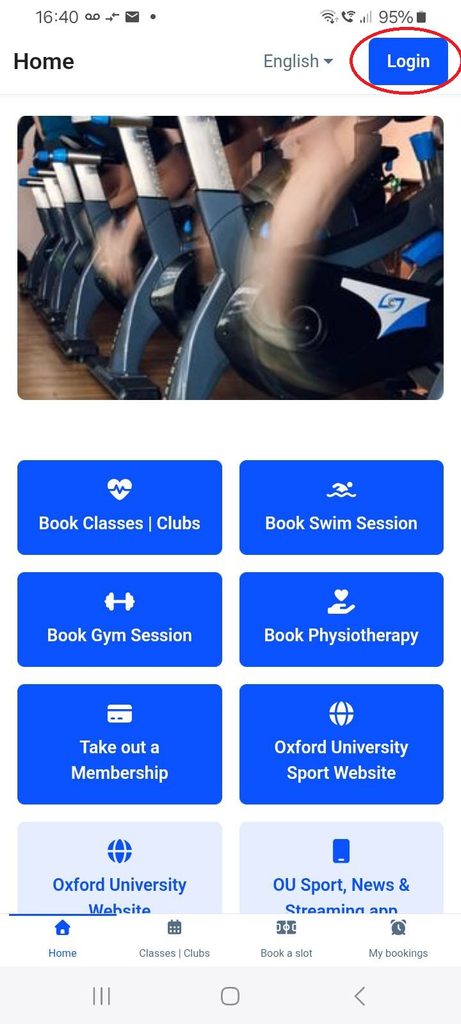
- Open the app and tap “Login“. You can also register on the website.
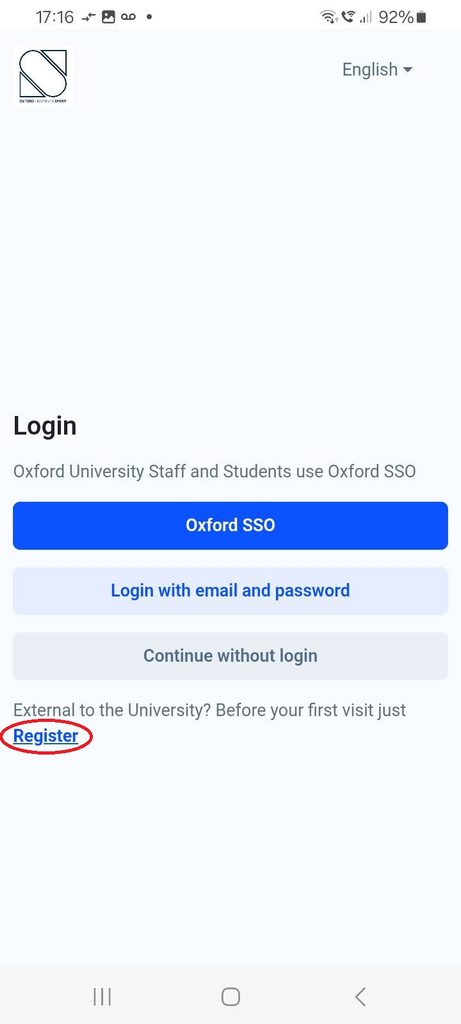
- Choose “Register“. Oxford University staff and students use “Oxford SSO“
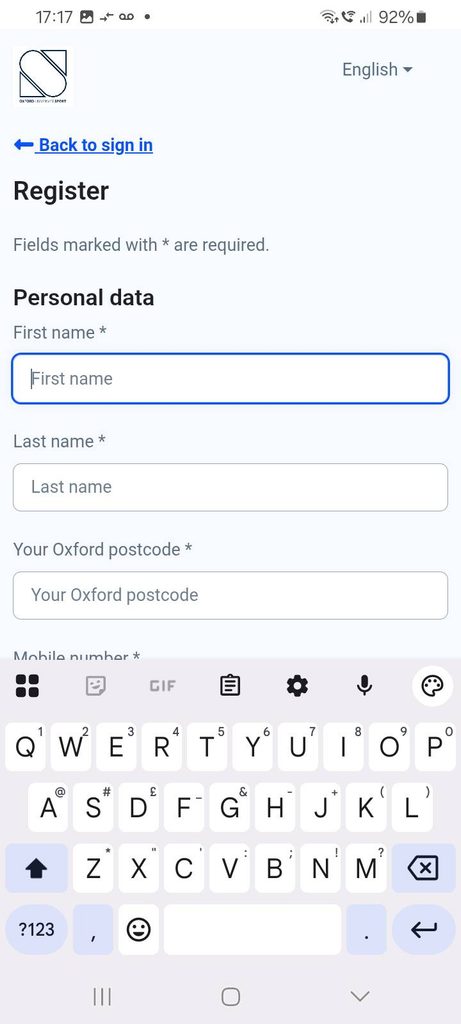
- Create your account. Enter your personal details and select “External to Oxford University” under Category. Use your own email address and create a password. Leave the Bod Card field blank if you don’t have one.
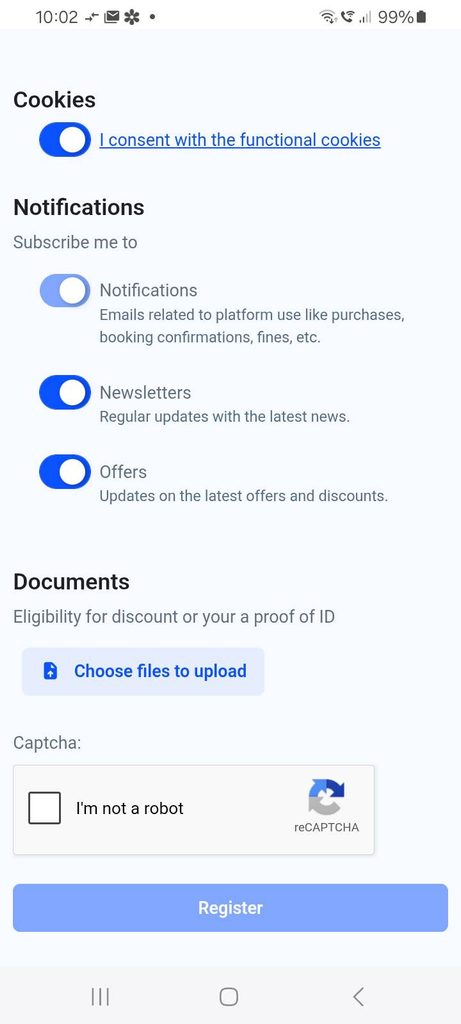
- Review the required terms and health statement, choose your communication preferences, proove you are not a robot tap “Register” to complete registration.
Submit a membership request:
- Sign in using your email and password, or SSO if Oxford University staff or student.
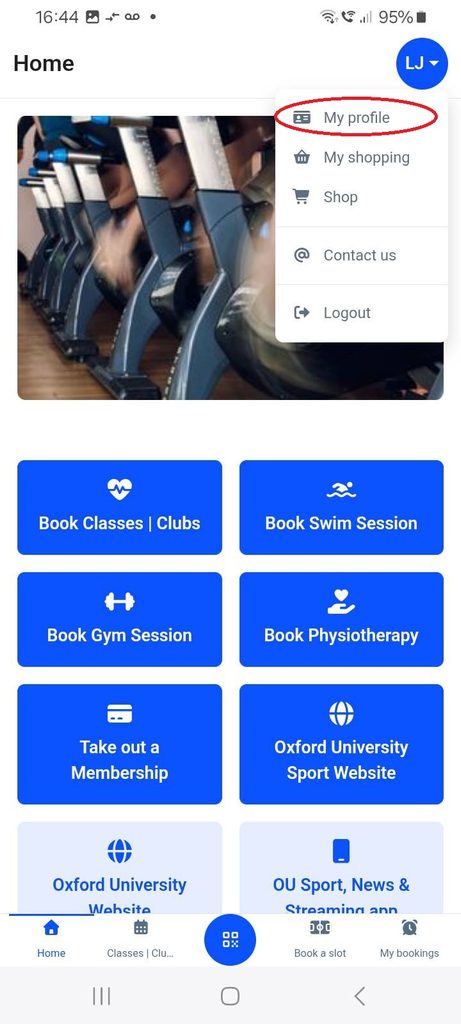
- Open “My profile” from the menu showing your name or initials in the top right-hand corner.
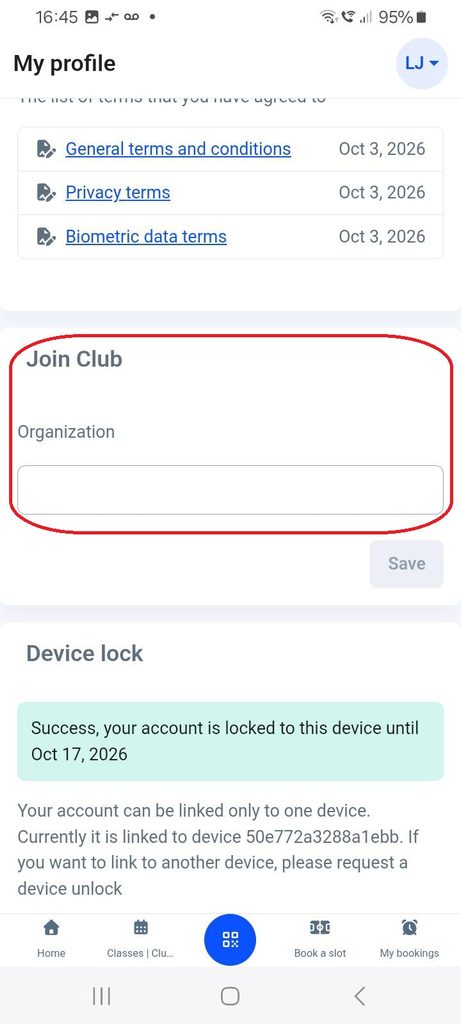
- Scroll down to “Join Club“.
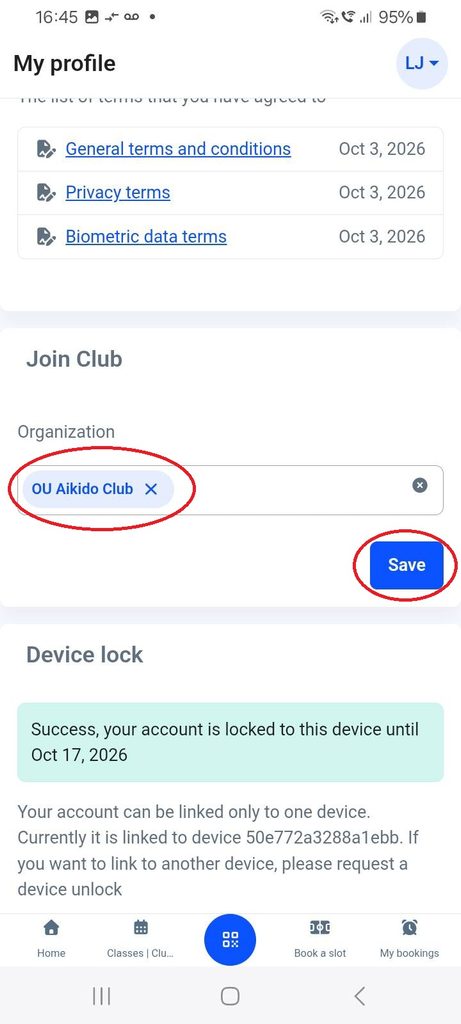
- Search for “Aikido” in the Organisation field and select “OU Aikido Club”. This is the club to select even if you are external to the University.
- Tap “Save“. This sends your membership request to the club for approval.
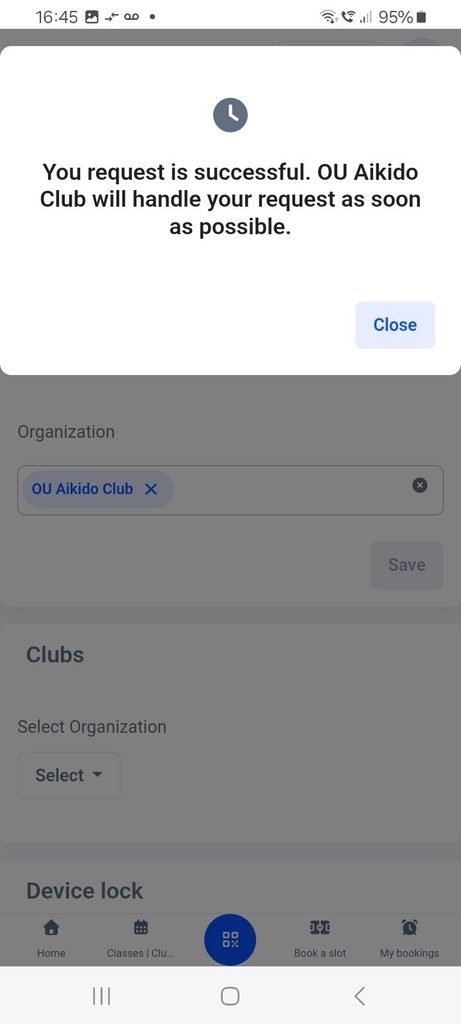
Once we have your membership request we’ll get you approved. You will receive an e-mail when the request is sent and another when it is approved.
“Purchase” a subscription to the Aikido Club
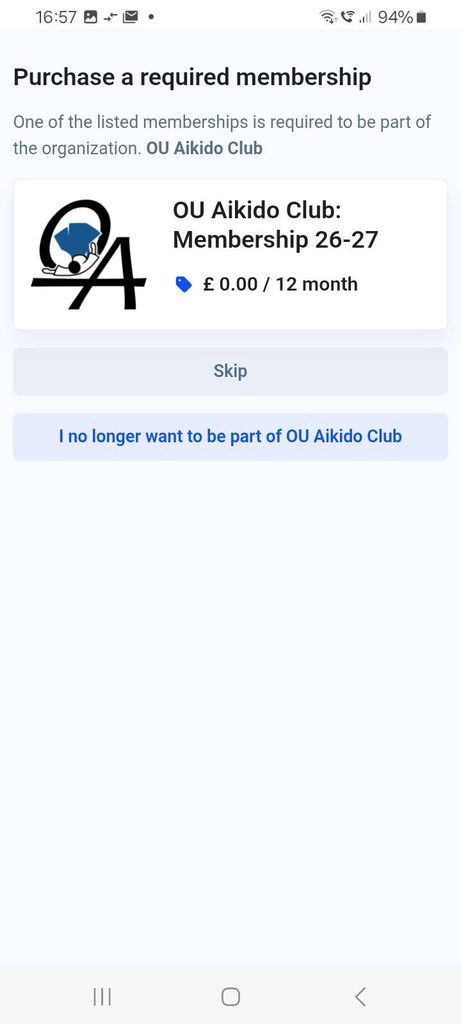
When the membership request is approved, return to the app and select “My profile“. You should immediately see a screen to “purchase” the required membership. This has no cost, but must be completed to be able to book a practice session.
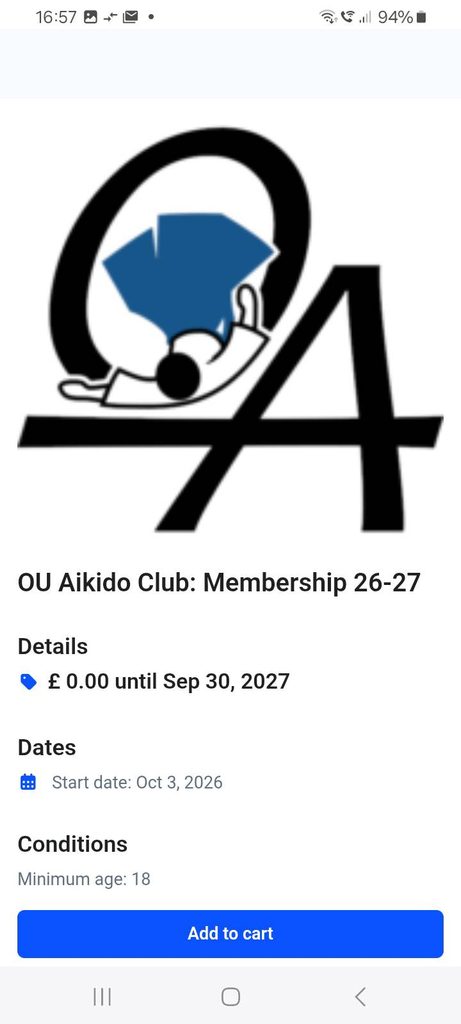
- Tap on the OU Aikido Club membership box.
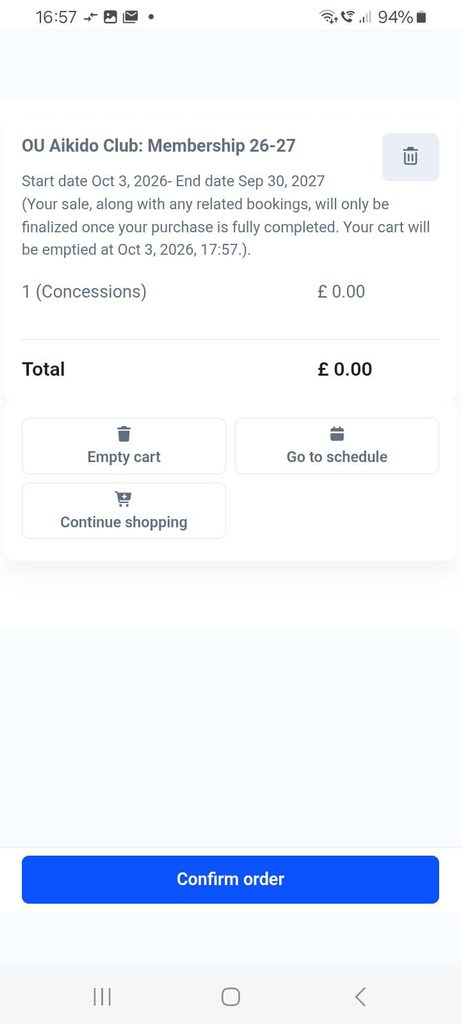
- Tap “Add to cart“.
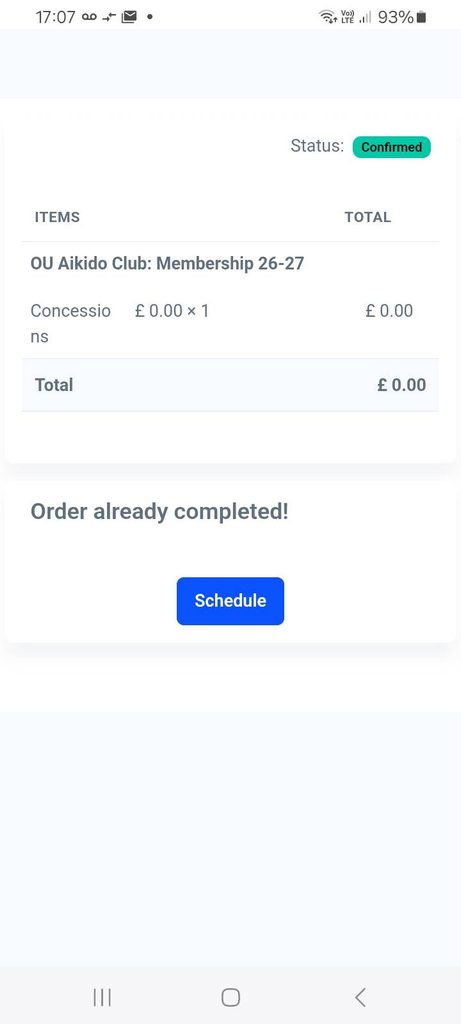
- Tap “Confirm order“.
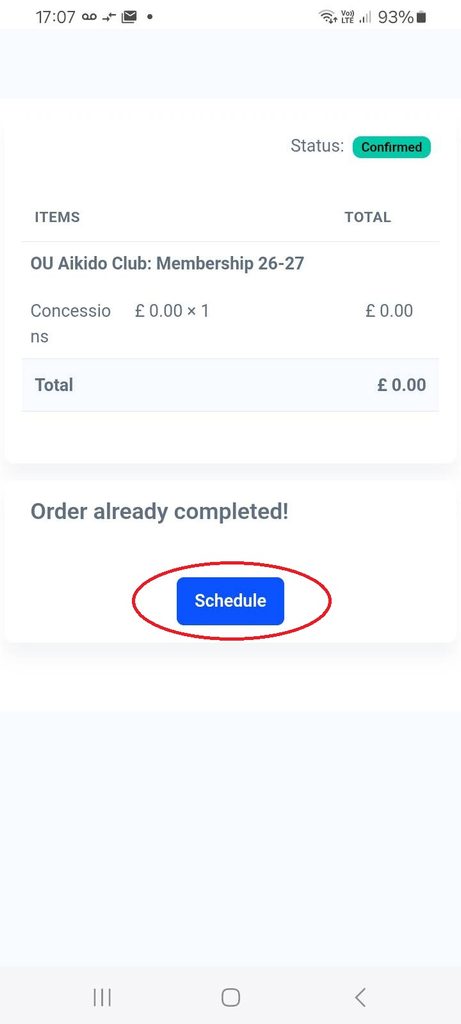
- Tap “Schedule” to go to book a practice session.
Booking a practice session immediately after the membership purchase
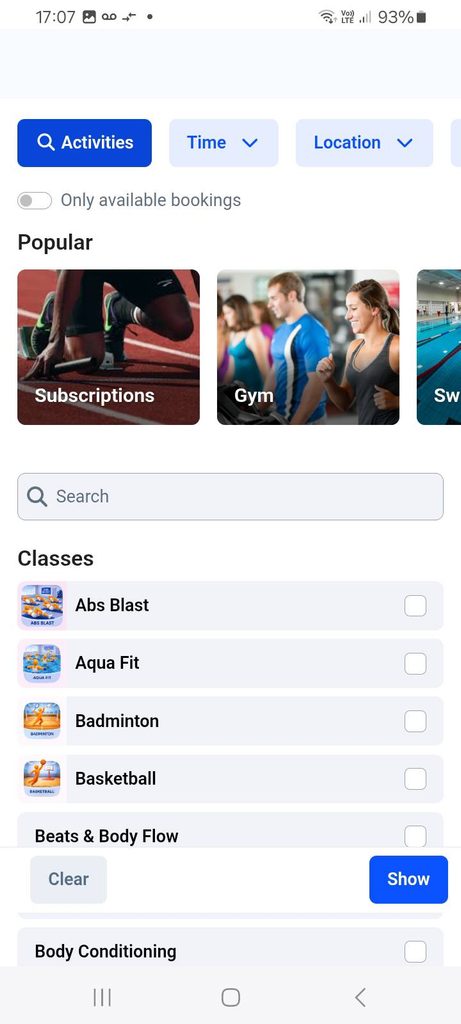
- Tap “Schedule” at the end of the purchase process.
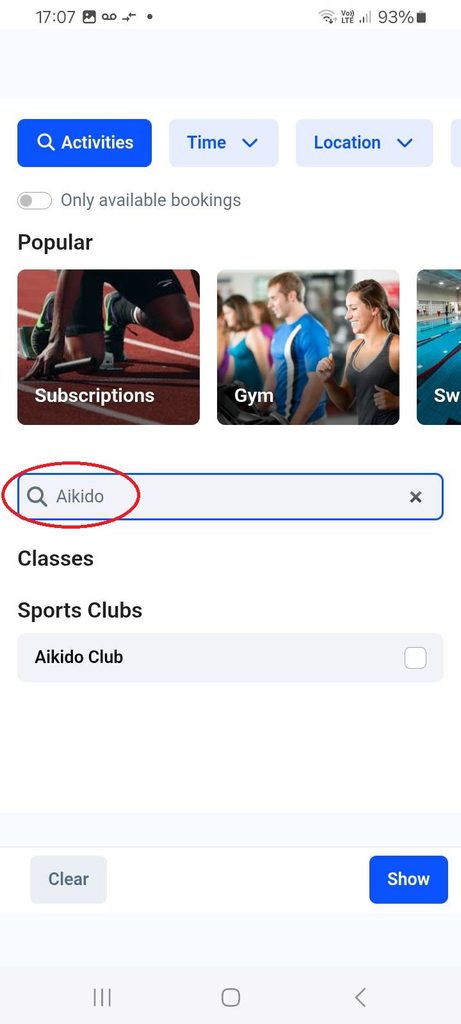
- Use the search to find Aikido and select “Aikido Club” in “Sports Clubs“. Or scroll over half way down the page to the start of “Sports Clubs” to find us.
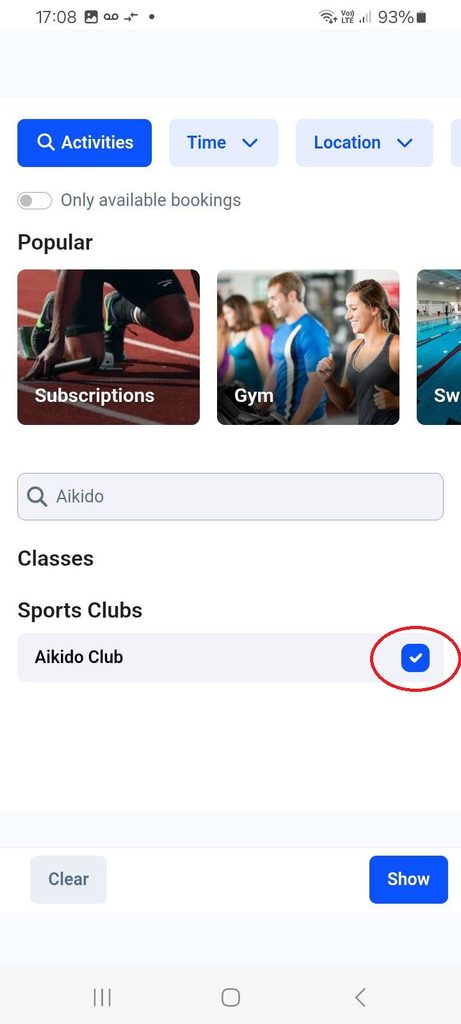
- Select the “Aikido Club“
- Tap “Show“.
To book each practice you will attend
(If returning to the app, select “Classes/Clubs“)
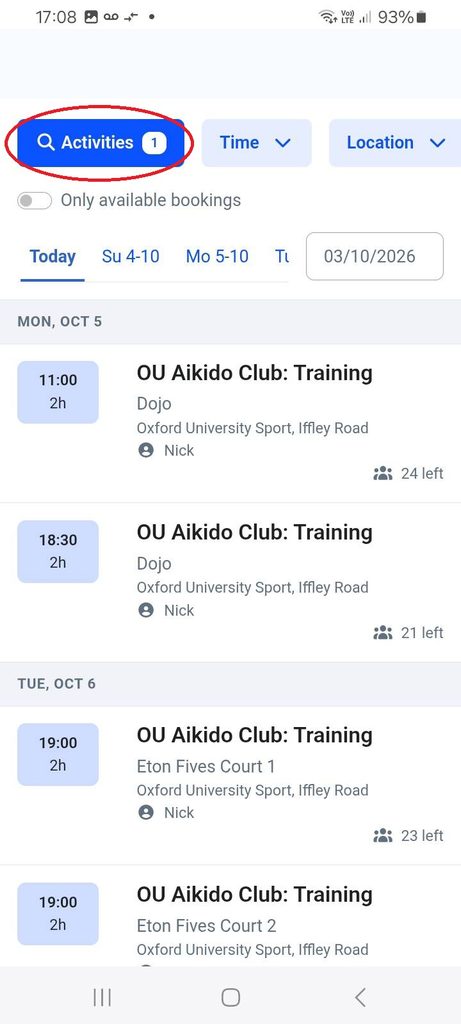
- Use the “Activities” option to filter if necessary.
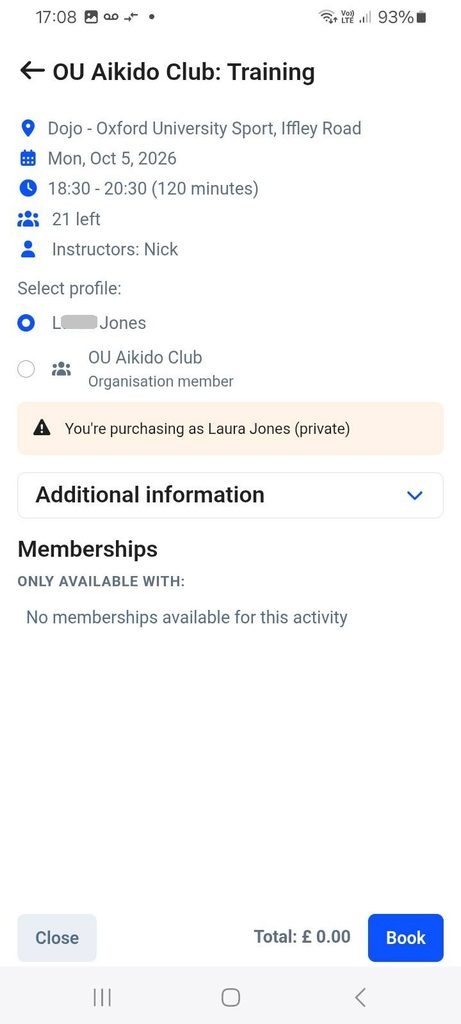
- Find the session to book – you can book up to one week ahead. Tap on the session.
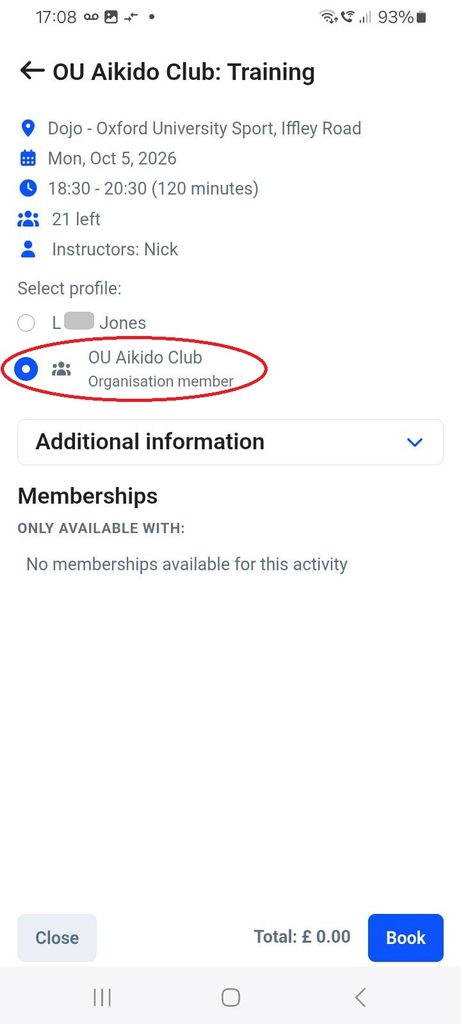
- Select the “OU Aikido Club” membership.
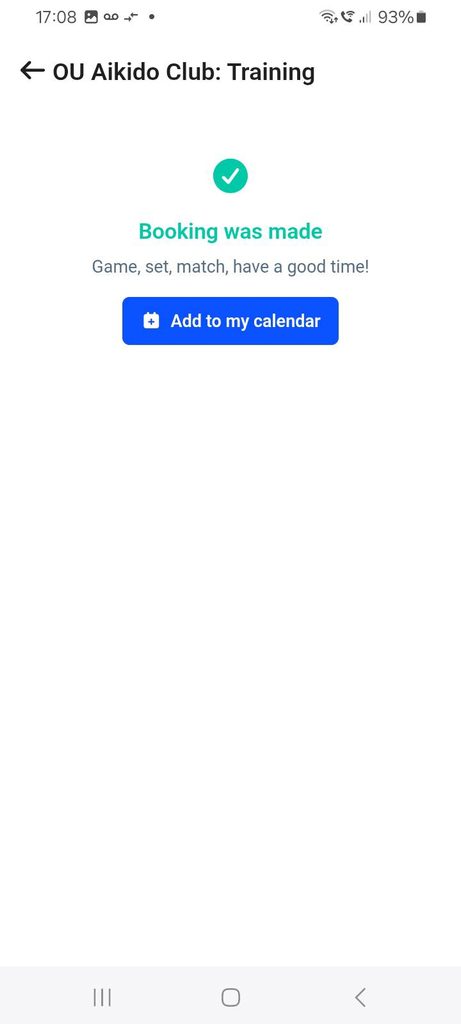
- Tap “Book“.
On arrival at the sports centre
To get through the gate, use the central icon on the bottom task bar of the app to enable your camera to scan the QR code on the gate. Note there is poor 4G/5G mobile signal in the area. Go to the reception desk if you have any trouble.

Checking and cancelling bookings
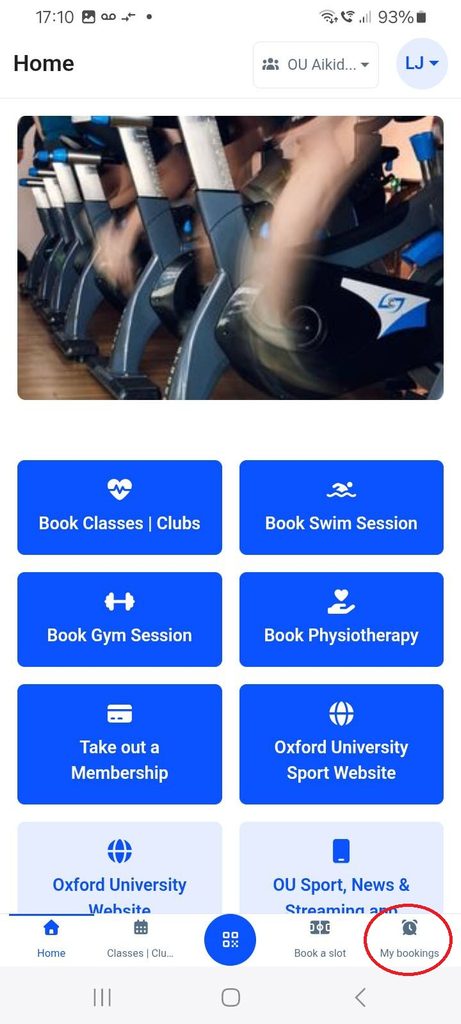
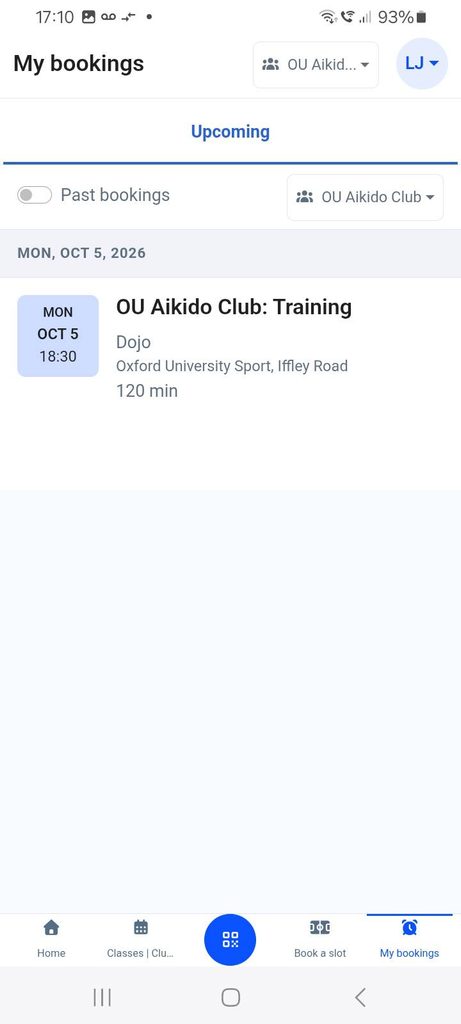
- Select the “My bookings” button on the bottom bar of the app.
- You will see a list of upcoming bookings
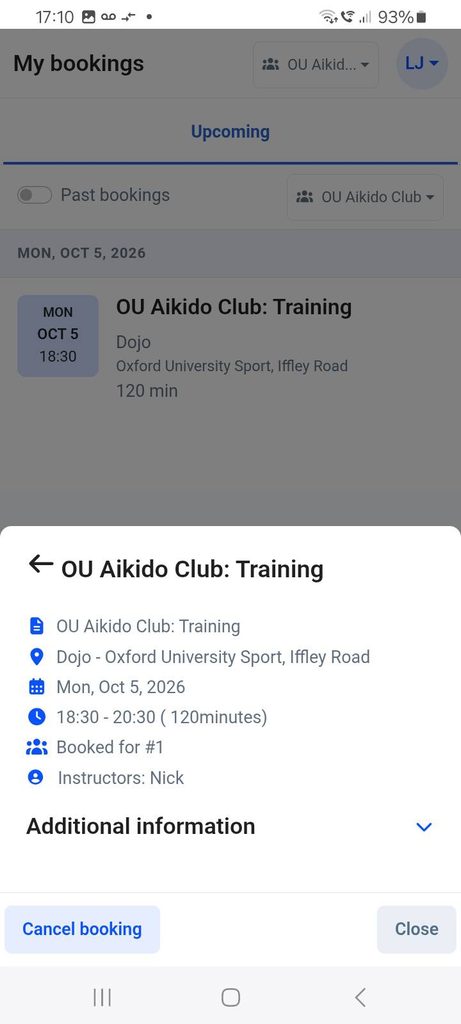
- Select a booking to check details.
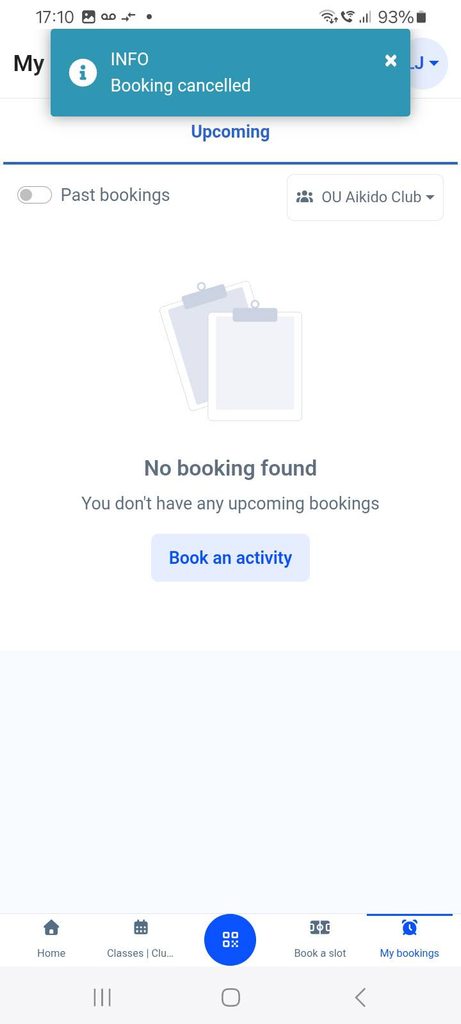
- If you need to cancel a booking, tap “Cancel“.